PROFIT CONFIDENTLY
Be confident your pricing is accurate and your field process is profitable; now powered by the experts that wrote the book on flat rate.
No Contracts, love it or leave it!
What can Profit Rhino do for your business?
Pricing that fits into your business
Be confident your pricing is accurate by completely customizing it to fit your business.Increase your average ticket by 80%
Easily offer homeowners the power to choose something better than the basic repair, adding $100s to your ticket.Built & managed by industry experts
Our industry experts have been writing accurate flat rate pricing for contractors for over 30 years.
More profit, less problems
When techs are confident in their pricing & presentation, they easily build trust with homeowners and close more jobs.
Save time & be more efficient
From presenting pricing to syncing work orders to the office, building a repeatable field process makes it easy to grow your business.

Save time & be more efficient
From presenting pricing to syncing work orders to the office, building a repeatable field process makes it easy to grow your business.
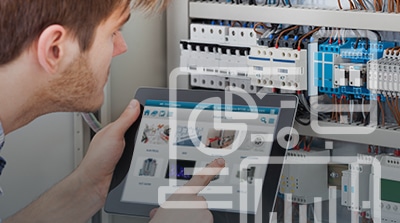
Ditch the paper & errors
Lost invoices, math errors, and illegible handwriting are a thing of the past; finally ditch the paper invoices & wasting time handwriting options.
OUR PRODUCTS

New to flat rate or looking for a better way to manage pricing and profitability? Use Smartprice’s digital price book & sales presentation tool!

Need flat rate pricing for your field service software? Use integrate’s up-to-date flat rate pricing!
OUR PRODUCT FEATURES

DIGITAL PRICE BOOK
- Accurate flat rate pricing
- Prebuilt & fully customizable
- Removes conflict with homeowners
- OEM search

MOBILE SALES TOOL
- Increases your average ticket by 80%
- Offer options to homeowners
- Does the selling for the tech

WEB PLATFORM
- Completely customize pricing & tasks
- Manage work orders & customers
- Sync the office & the field

SUPPORT & COACHING
- Free US based support for life
- Success coaching & implementation
- Backed by 30 years of industry experience
DIGITAL PRICE BOOK
Accurate flat rate pricing
Prebuilt & fully customizable
Removes conflict with homeowner
OEM search
MOBILE SALES TOOL
Increase your average ticket by 80%
Offer options to homeowners
Does the selling for the tech
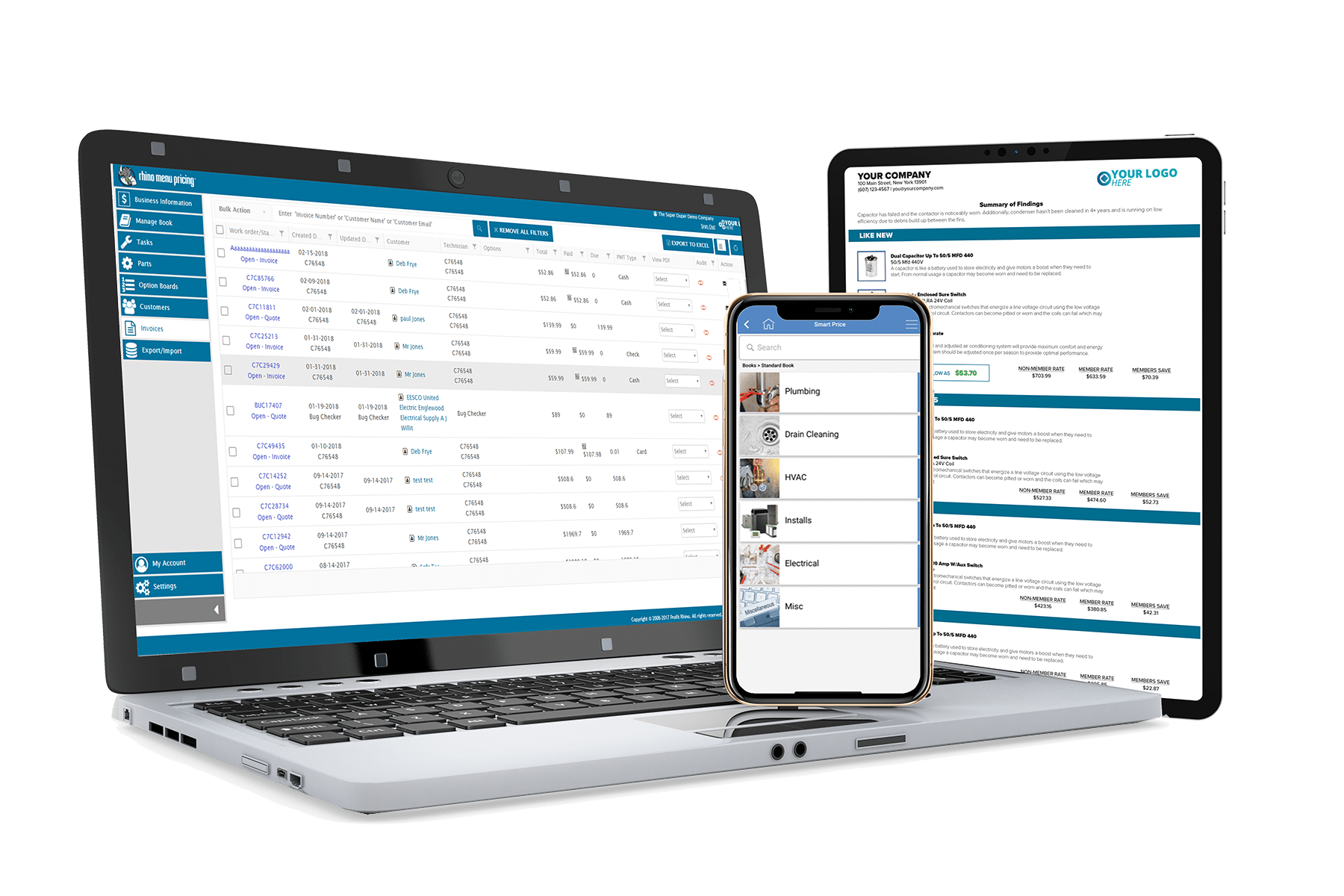
WEB PLATFORM
Completely customize pricing & tasks
Manage work orders & customers
Sync the office & the field
SUPPORT & COACHING
Free US based support for life
Success coaching & implementation
Backed by 30 years of industry experience
Flat rate pricing gives you the ability to offer a price upfront. 92% of homeowners prefer upfront pricing, but only 20% of home service contractors offer it!
INCREASE PROFITABILITY
IMPROVE EFFICIENCY
BUILD CREDIBILITY

Flat rate pricing gives you the ability to offer a price upfront. 92% of homeowners prefer upfront pricing, but only 20% of home service contractors offer it!
INCREASE PROFITBILITY
IMPROVE EFFICIENCY
BUILD CREDIBILITY
Why Profit Rhino's Flat Rate?
Profit Rhino's flat rate is now powered by the experts that wrote the book on flat rate, Callahan Roach.

PREBUILT & CONCISE
FULLY CUSTOMIZABLE
QUARTERLY UPDATES
OEM SEARCH
Built by the experts with 30 years of experience that wrote the book on flat rate.
Why Offer Homeowners Options?
MAKES SELLING EASY FOR TECHS
HOMEOWNER FEELS IN CONTROL
REMOVES NEED FOR COMPETITOR RESEARCH
INCREASES AVERAGE TICKET
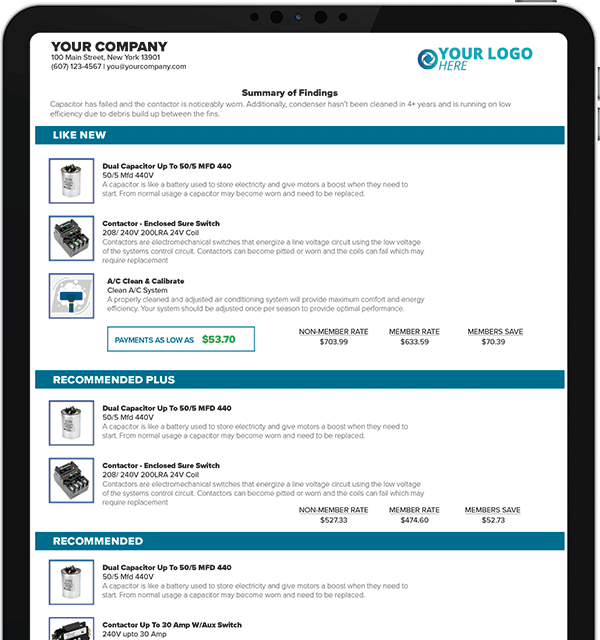
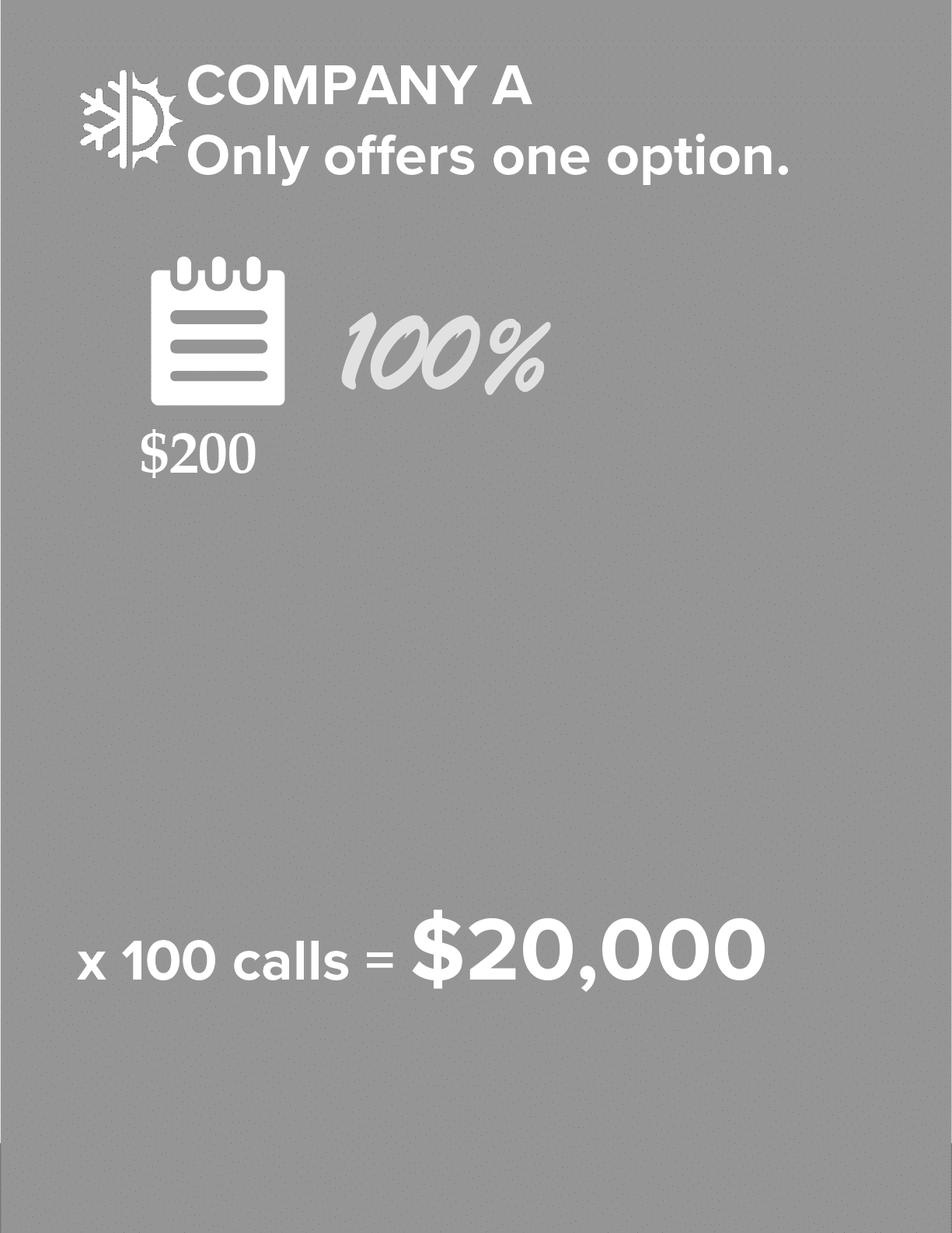
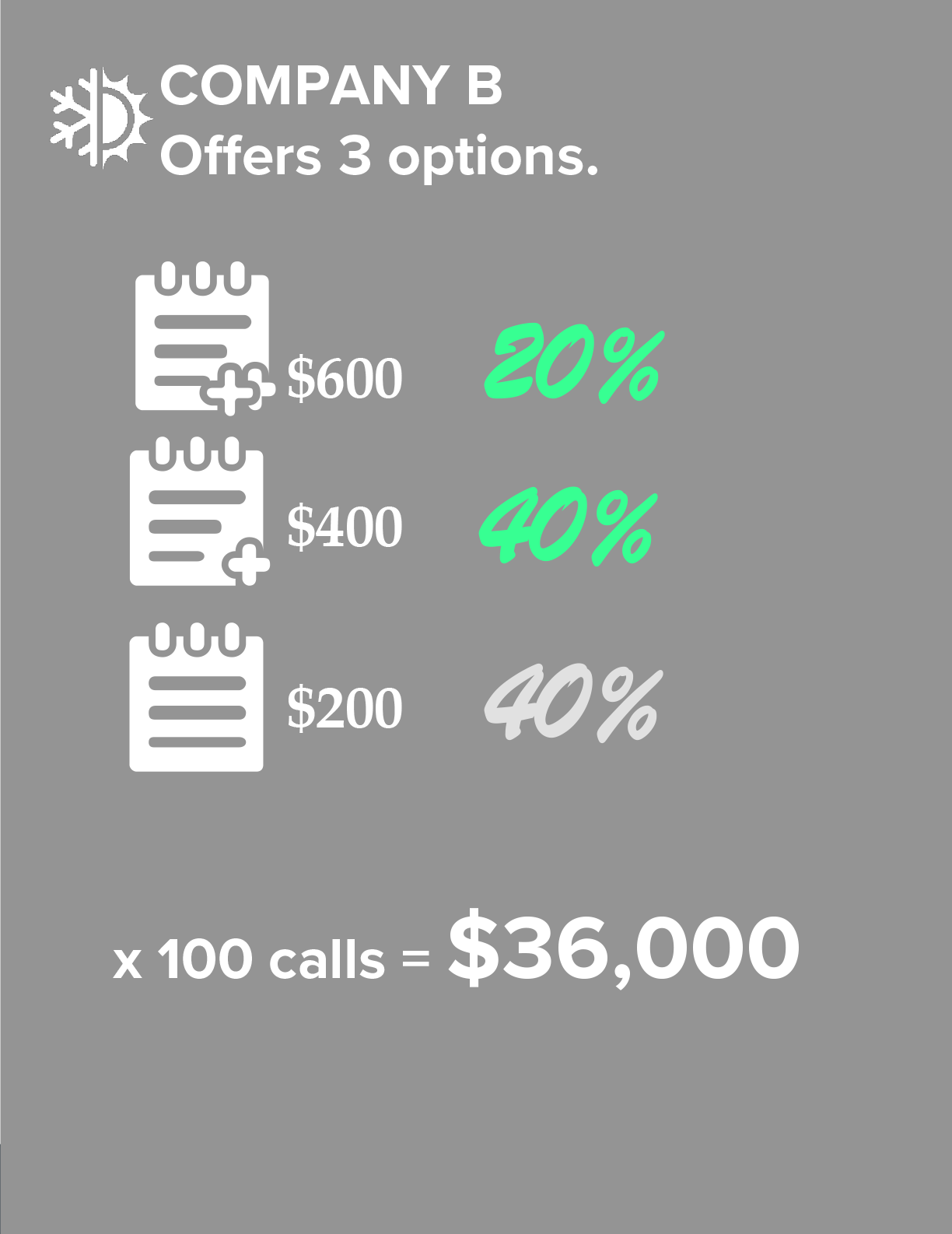
By giving homeowners options, instead of ultimatums, they will choose something better than the basic repair 60% of the time.
MAKES SELLING EASY FOR TECHS
HOMEOWNER FEELS IN CONTROL
INCREASES AVERAGE TICKET
REMOVES NEED FOR COMPETITOR RESEARCH
MAKES SELLING EASY FOR TECHS
INCREASES AVERAGE TICKET
HOMEOWNER FEELS IN CONTROL
REMOVES NEED FOR COMPETITOR RESEARCH
The Science of Options
When you offer options, 60% of the time homeowners will choose something better than the basic repair.

We Work With Over 300 Plumbing & HVAC Manufacturers!